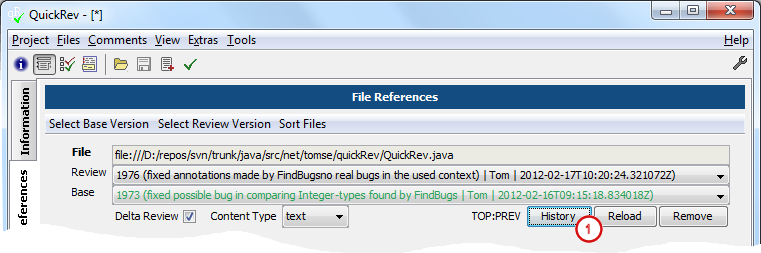
USAGE:
java -jar QuickRev.jar --history [OPTIONS]
OPTIONS:
[<db-dir>]
Defines the directory where the history-DB is stored.
If this option is omitted the database will be stored in '~/.quickRev/history'.
[-h|--help]
Prints this help.
--find <start-dir...>
Searches recursively for review files starting in the given directories and adds them to the history-DB.
--find-N <dir...>
Searches for review files in the given directories and adds them to the history-DB.
[--find-dir <dir-name, start-dir...>]
Searches recursively for all directories with the given 'dir-name' starting at the given 'start-dir'
and adds the found directories to the history-DB.
Use --update to search for the review files in the added directories, both options can be given at the same time.
--add <file..., dir...>
Adds given review files and directories to the history-DB.
Use --update to search for the review files in the added directories, both options can be given at the same time.
--remove <file..., dir...>
Removes given review files and directories from the history-DB.
This command will be executed before 'add' / 'find' and 'update' commands if they are given together.
[--update]
Searches in all directories known in the history-DB for review files and adds or updates the found review files.
[--update-git-worktree]
History DB update for the current GIT worktree only.
[--exclude <dir-pattern...>]
Excludes directory paths which contain the regular expressions from search (increases search performance).
[--exclude-file <file>]
Excludes directory paths which contain the regular expressions specified in the given file from search.
Every regular expression has to be defined in a new line.
[--clear]
Removes all entries from the review history.
This command will be executed first if more arguments are given.
[--cleanup]
Removes all directories and review files from the history-DB which do not exist anymore.
[--tasks [<user-name...>]]
Prints a task list of all unfinished reviews for the given user(s).
Use 'ALL' to print a task list for all users or use this options without arguments.
[--dump]
Shows the content of the history database.
This option can be used for error detection reasons.
Note: do not rely on the database table structure, because it may change with further releases.
[-c|--config <config-file...>]
Make use of this option to load the same configuration files as for normal QuickRev usage.
[--debug[:<WARNING|INFO|CONFIG|FINE|FINER|FINEST|ALL>]]
This option is useful in case of errors to get additional information.
Specifying "--debug" only, will show an additional "Debug" menu which provides different debug options.
Furthermore you can assign a log-level in the form "--debug:ALL" to print logging information of the
given level to standard error. The following log-levels are available:
SEVERE (highest value), WARNING, INFO, CONFIG, FINE, FINER, FINEST (lowest value), ALL.
(See java.util.logging.Level for more information)
![[Note]](images/note.png)
![[See]](images/see.png)